Airbnb QR code poster: make one with your own photo
Short answer: a rental QR poster sends guests straight to your guide (Wi-Fi, check-in, house rules, local tips). With Guestleaf the code can be woven into a photo of your place, so it looks like decor instead of a barcode, and it still scans with any phone camera.
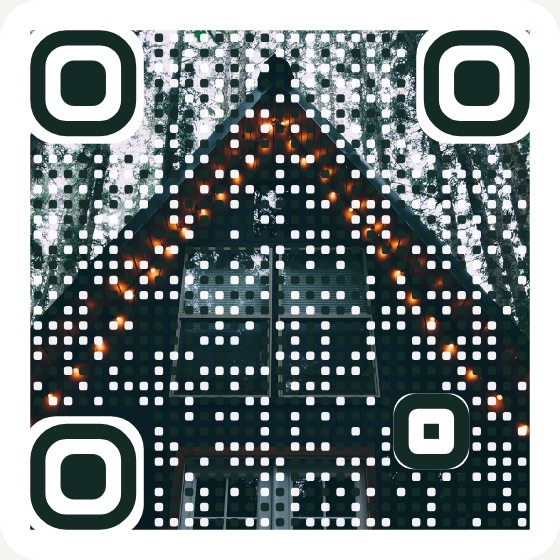
Why a QR poster beats a binder
- Guests actually use it. Scanning takes two seconds; nobody reads a 20-page binder.
- It never goes stale. The code opens your live guide, so a new Wi-Fi password or door code is updated everywhere at once.
- It looks good. Choose your colors, and weave in a photo of your place.
How to make yours
- Create a free guide and add your Wi-Fi, check-in steps, rules and local tips.
- Upload a cover photo and pick a QR style (Photo, Rounded, Dots or Classic).
- Open QR poster and print it on Letter or A4 paper. Frame it by the door.
Tips for a QR code that always scans
- Print it at least 5 cm (2 in) wide. Bigger is better for a poster across the room.
- Use matte paper or a non-glare frame so reflections don't hide the code.
- Test it with both an iPhone and an Android phone before your first guest arrives.
Only need Wi-Fi? Try the free Wi-Fi QR code sign maker.
Frequently asked questions
- How do I make a QR code for my Airbnb?
- Create a guest guide (for example with Guestleaf), then print its QR poster. Guests scan the code with their phone camera and the guide opens. You can also make a Wi-Fi QR code so guests join your network without typing the password.
- Will a QR code with a photo still scan?
- Yes, if it is built correctly. The corner markers must stay solid and every data square needs a dark or light center. Guestleaf tests every style against a QR decoder across different photos, colors and sizes.
- What happens if I change my Wi-Fi password or door code?
- Update the guide and you are done. The poster QR always opens the latest version of your guide, so you never need to reprint it.
- Where should I put the QR code in my rental?
- Somewhere guests look in the first five minutes: by the front door, on the fridge, or on the kitchen counter. A small framed poster works better than a sticker.